Tips by Menu/Screen
Premium Content
Tutorial DVDs
Webinars
Workshops
Sign up
Sign-up for my free Casablanca Newsletter
Your info will be kept private
Name
Email Address
Menu
Members Home
Casablanca Expert Blog
Membership Roster
Membership Privileges
Casablanca News
Ask the Expert
Members Only Webinars
Video Tutorials
Private Tutor Service
Testimonials
Favorite Links
Website Sponsor
CB Expert Google Friend Community
About Chet
Contact Chet
Search the site
Events Calendar
«
July 2010
»
S
M
T
W
T
F
S
1
2
3
4
5
6
7
8
9
10
11
12
13
14
15
16
17
18
19
20
21
22
23
24
25
26
27
28
29
30
31
Tips Index
Tips by Software Title
Casablanca Basics: Set-up, System Wide Operations, etc.
System Settings Menu
Project Settings Menu
Video Settings Menu
Video Recording Menu
Edit Menu
Transitions Menu
Titling Menu
Image Processing Menu
Audio Record & Edit Menu
Audio Mix Menu
Finish Menu
Arabesk Menu
Supplemental
You are here:
Home
»
Tips by Software Title
»
CB Paint / CP Paint 2
Learn the specifics to maximize your use of CB Paint / CB Paint 2
software with the following Tutorials, Tips and Tricks:
Most Recent Tips
Video Tutorial: CB Paint - Embellishing black and white illustration
Chris Stone - the CB Painter - demonstrates the tools in CB Paint / CB Paint 2 he used to bring an black & white illustration to life for use in a documentary.
CB Paint: Setting up your menu screens
Chet shares tips for setting up your initial menus in CB Paint
CB Paint: Creating a Flash-Lightning Animation
Chet provides the step by step to add/create animation that simulates lightning in CB Paint/CB Paint 2
CB Paint: Using Auto-Paint to produce an animated signature
Chet provides the steps to create an animated signature using the Auto-Paint tool in CB Paint/CB Paint 2
CB Paint: Creating transition effects between two plains
Chet provides the details to add transitions (effects) between two layers in CB Paint/CB Paint 2
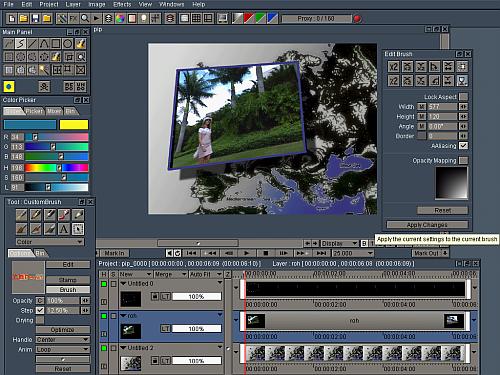
CB Paint: Creating Full Motion PIP with Animated Background Layer
Chet provides the steps to create a Full Motion PIP with Animated Background Layer using CB Paint/CB Paint 2