Tips by Menu/Screen
Premium Content
Tutorial DVDs
Online Workshops
Webinars
Highlights
Members Home
Video Tip of the Week
Membership Privileges
Ask the Expert
Members Only Webinars
Private Tutor Service
About Chet
Contact Chet
Search the site
Events Calendar
«
September 2025
»
S
M
T
W
T
F
S
1
2
3
4
5
6
7
8
9
10
11
12
13
14
15
16
17
18
19
20
21
22
23
24
25
26
27
28
29
30
Tips Index
Tips by Software Title
Bogart For Windows
Casablanca Basics: Set-up, System Wide Operations, etc.
System Settings Menu
Project Settings Menu
Video Settings Menu
Video Recording Menu
Edit Menu
Transitions Menu
Titling Menu
Image Processing Menu
Audio Record & Edit Menu
Audio Mix Menu
Finish Menu
Arabesk Menu
Media Manager
Supplemental
iPhone / iPad Integration
12 Tips for Christmas 2013-14
12 Tips for Christmas 2014-15
12 Tips For Christmas 2016-17
12 Tips for Christmas 2021-22
Import Menu
You are here:
All Products
>
Photo Studio Intensive
Photo Studio Intensive
Price: $29.99
Available
Chet Davis provides an intensive tutorial on the features of the Casablanca Photo Studio software
Now shipping!
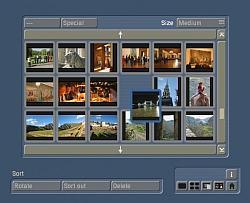
You'll learn all about the features of the Casablanca Photo Studio 2 from the Casablanca Expert. From importing and sorting, cropping and retouching to creating collages and animating your JPEG photos - you'll learn to create your own beautiful photo-video projects. Includes both tutorial on DVD and JPEG photos on CD (so you can follow along as you learn with the Casablanca Expert.
Contents:
Disk One: DVD Tutorial
1 - Photo Studio Introduction 6:31 (JPEGs, Scanning, USB Media)
2 - Importing Photos/JPEGs 8:32
3 - Sort Menu 4:35
4 - Show Detai Menu 7:50
5 - Photo Studio 2 Edit Menu 9:07
6 - Compare Menu 2:04
7 - Filter Menu 10:56
8 - Animation Menu 25:24
9 - Collage Menu 14:40
10 - Animating a Collage 10:30
11 - Incorporating A Logo 6:59
Disk Two: CD
JPEG/photos used in Photo Studio Tutorial
Back to products
Workshops